목표
1. 설명
2. 설정 방법
설명
- yyaxis는 좌, 우 두개의 축으로 구성된 그래프를 쓸 때 사용한다.
- yyaxis를 통해 생성한 우측그래프는 figure 창의 설정값은 공유되지만, 좌측에서 설정한의 x,y 축 제한을 적용받지 않기 때문에 따로 지정해주어야 한다.
설정방법
코드 진행 순서는 아래와 같이 진행된다.
- 왼쪽 축의 그래프 그리기와 설정
- yyaxis로 오른쪽 축의 그리기를 선언
- 오른쪽 축의 그래프 그리기와 설정
예시
|
figure
hold on; grid on
% 왼쪽 그래프
plot(data1(1:1000),'k')
% 왼쪽 설정
xticks(0:200:1000)
ylabel('Zeta (m)')
xlabel('Days')
% 오른쪽 축 색깔 설정 colororder({'r'})
% 오른쪽 선언
yyaxis right
% 오른쪽 그래프
plot(data2,'--r')
% 오른쪽 설정
ylabel('Height (cm)')
|
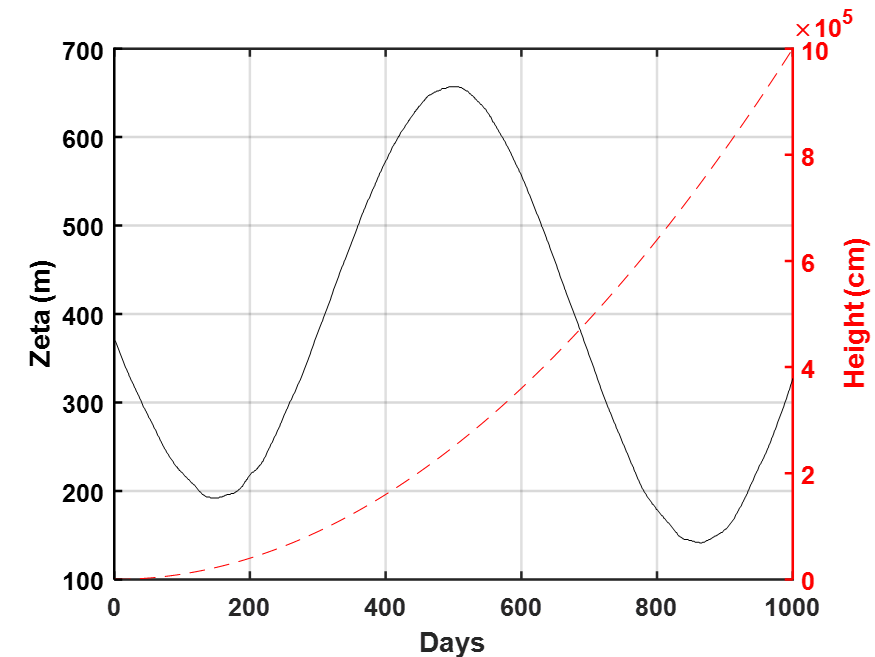
참고
https://kr.mathworks.com/help/matlab/ref/yyaxis.html
두 개의 y축이 있는 차트 생성 - MATLAB yyaxis - MathWorks 한국
좌표축의 특정 측면에 연결된 플롯은 해당 y축과 같은 색을 사용합니다. 측면에 선이 여러 개 있으면 선 스타일 순서대로 선에 스타일이 적용됩니다. 왼쪽 y축에는 Axes 객체의 색 순서 중 첫 번째
kr.mathworks.com
Black axes for yyaxis (not default blue and orange)
I'm having a hard time making the two y axes in my yyaxis plot black instead of the default blue left axis and orange left axis. I think I need to call the axis handle for each but I'm not sure how...
kr.mathworks.com
'matlab' 카테고리의 다른 글
| [ matlab ] datetime 연산 (0) | 2024.11.29 |
|---|---|
| [ matlab ] 정해진 시간 간격으로 데이터 보정 (0) | 2024.02.01 |
| [ matlab ] cellfun (0) | 2024.01.27 |
| 특정 형식 시간 데이터 처리 'T' (0) | 2023.10.27 |
| t_tide 메뉴얼 (0) | 2023.10.18 |